# Getting Started

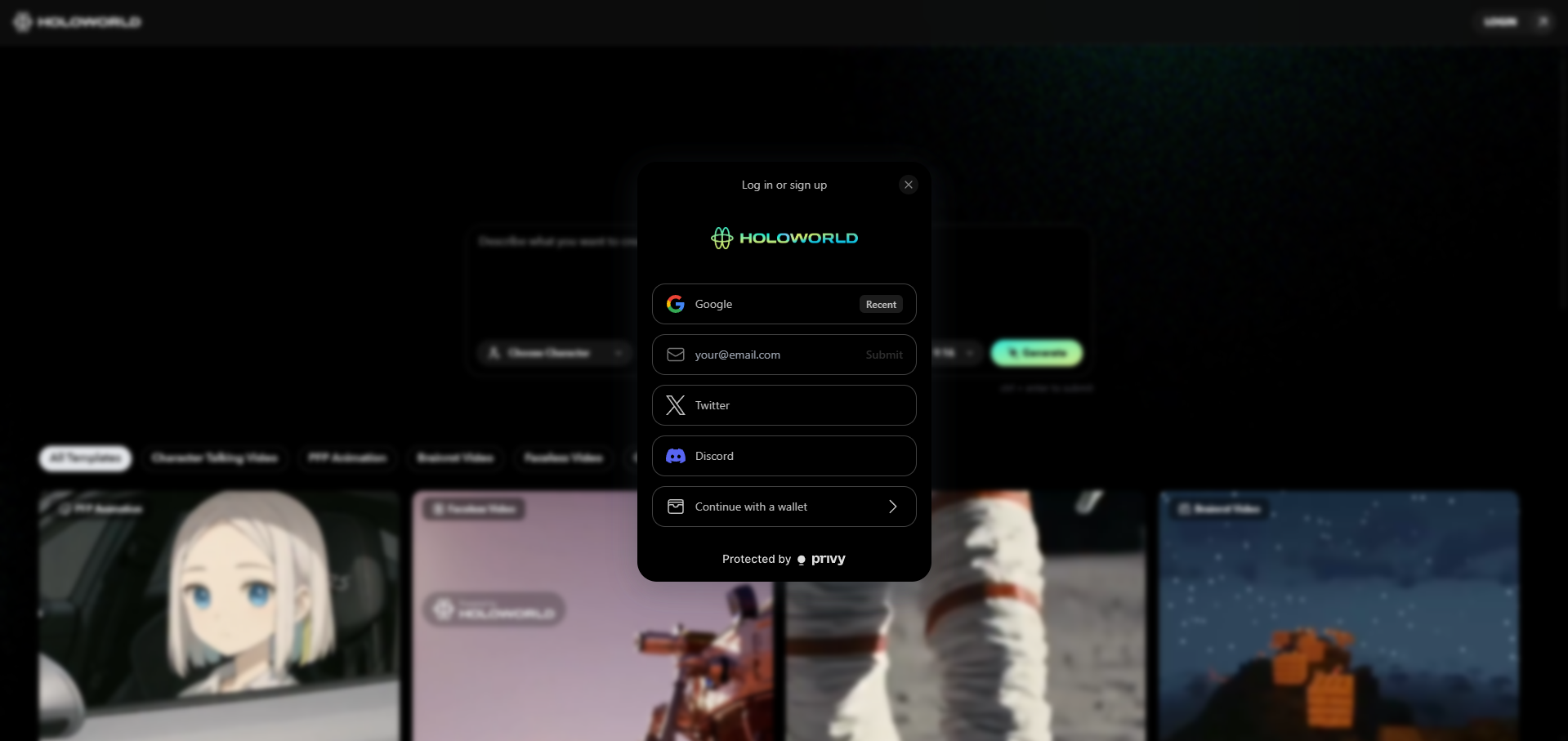
## Create Your Account

<figure><img src="https://3847104975-files.gitbook.io/~/files/v0/b/gitbook-x-prod.appspot.com/o/spaces%2Fx3XJPuHjcm9UuQOCtVEu%2Fuploads%2FFxhTbDvlZkfz1METf6EQ%2Fimage.png?alt=media&#x26;token=e3b65c89-5d90-4444-b0f8-406747d2ac74" alt=""><figcaption></figcaption></figure>

* Sign up with your social login (Google, X, Discord, Phantom, etc.)
* Privy automatically creates a wallet for you, requiring no additional setup.

## Claiming Free Credits

<figure><img src="https://3847104975-files.gitbook.io/~/files/v0/b/gitbook-x-prod.appspot.com/o/spaces%2Fx3XJPuHjcm9UuQOCtVEu%2Fuploads%2F3KFlZrdlyznMI7IF7KcR%2FScreenshot%202025-06-18%20123518.png?alt=media&#x26;token=90d00421-0949-438f-8fcf-8c187fd35603" alt=""><figcaption></figcaption></figure>

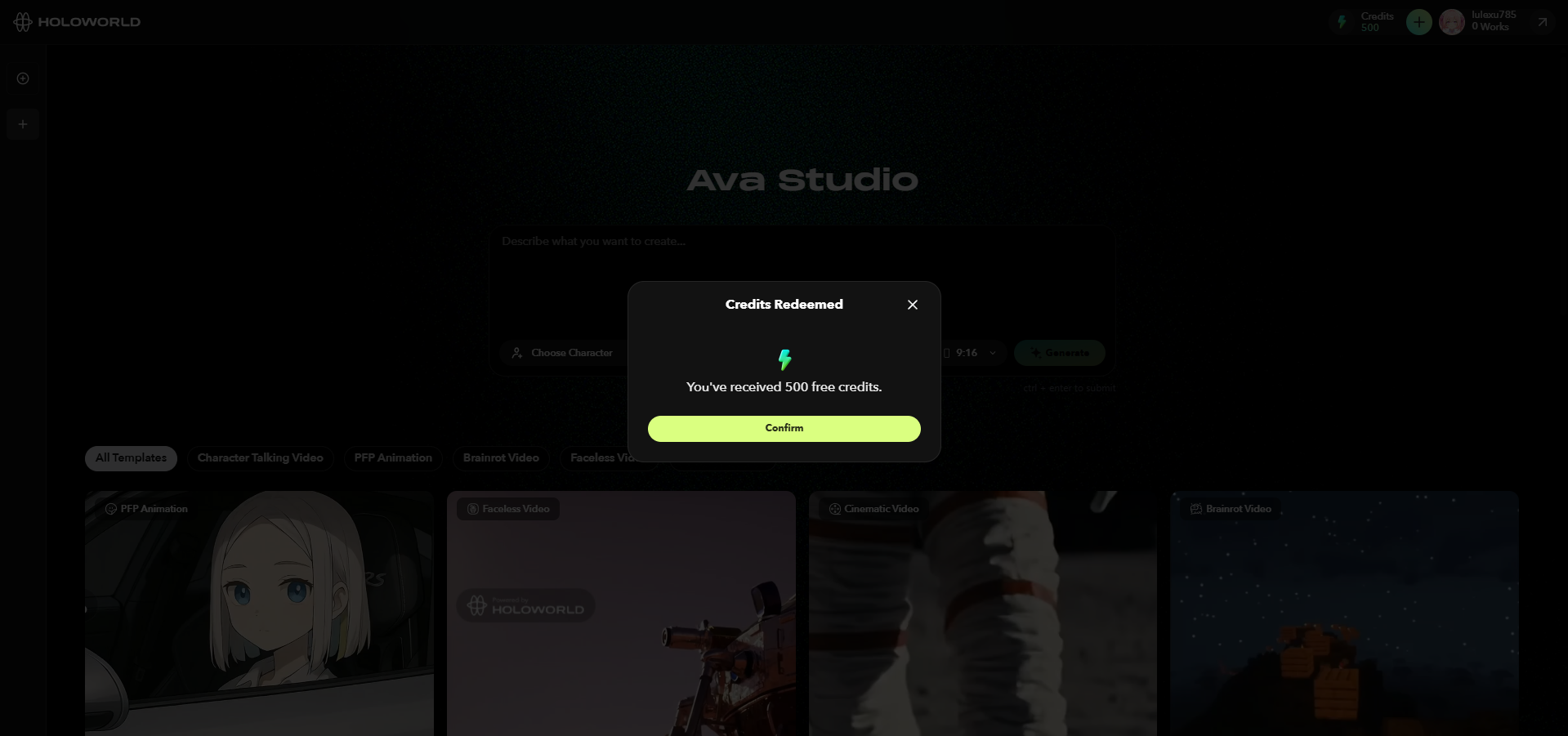
* New accounts get **500 free credits** to test things out.
* Credits **don’t expire**, so no rush.
* *Free credits are only given when using a social login*

## Add Credits

To purchase more credits:

<figure><img src="https://3847104975-files.gitbook.io/~/files/v0/b/gitbook-x-prod.appspot.com/o/spaces%2Fx3XJPuHjcm9UuQOCtVEu%2Fuploads%2FbKRJVWaKRubOWAsLybUL%2FScreenshot%202025-06-18%20123727.png?alt=media&#x26;token=d5ea61d8-ecd5-4372-8855-dd09114981a3" alt=""><figcaption></figcaption></figure>

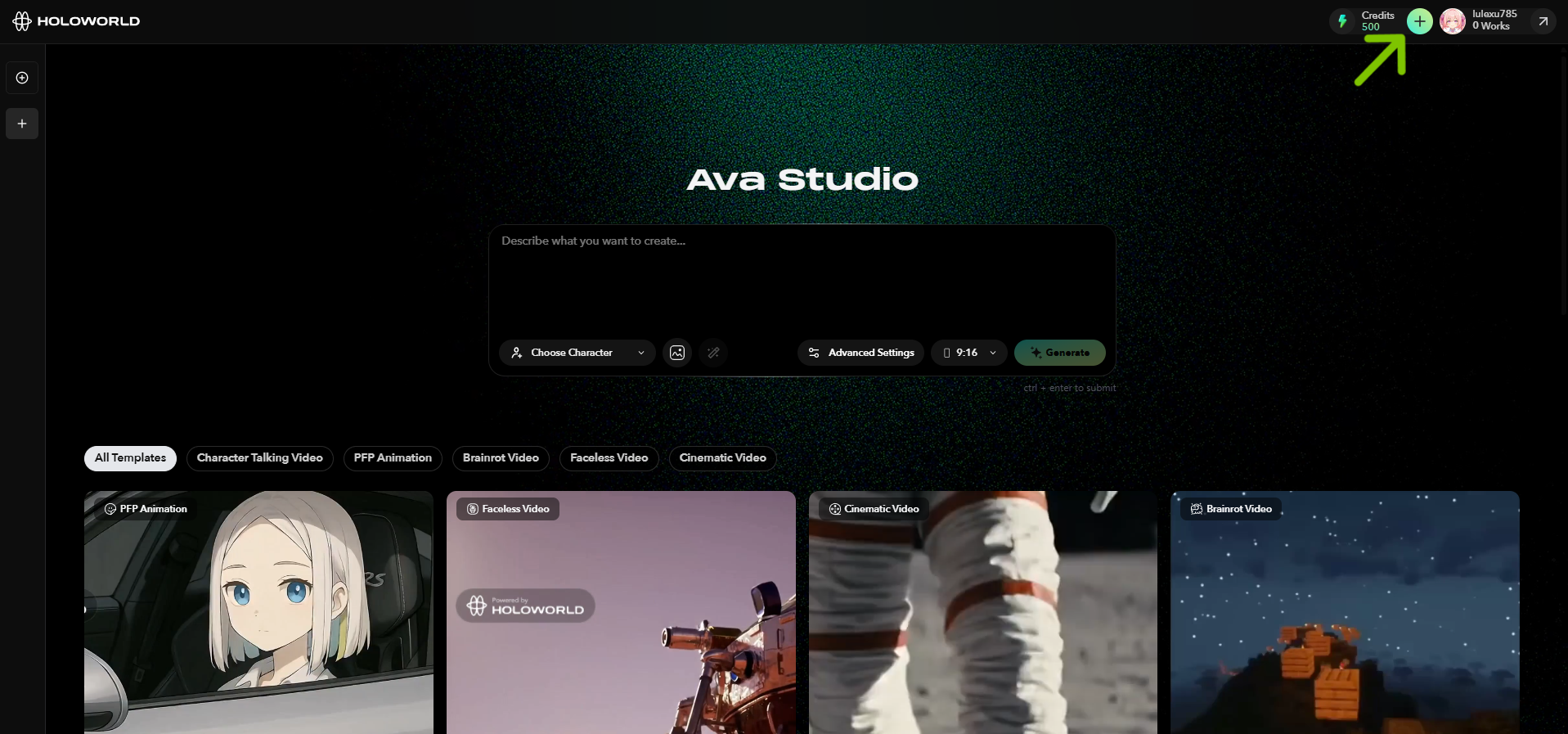
* Click the “+” button next to your credit balance (top right corner).

<figure><img src="https://3847104975-files.gitbook.io/~/files/v0/b/gitbook-x-prod.appspot.com/o/spaces%2Fx3XJPuHjcm9UuQOCtVEu%2Fuploads%2FOAv8JY7WLg2Znoi7ItWS%2FScreenshot%202025-06-18%20123625.png?alt=media&#x26;token=6be8f29b-efc3-4f57-ade0-a9c83cbc284a" alt=""><figcaption></figcaption></figure>

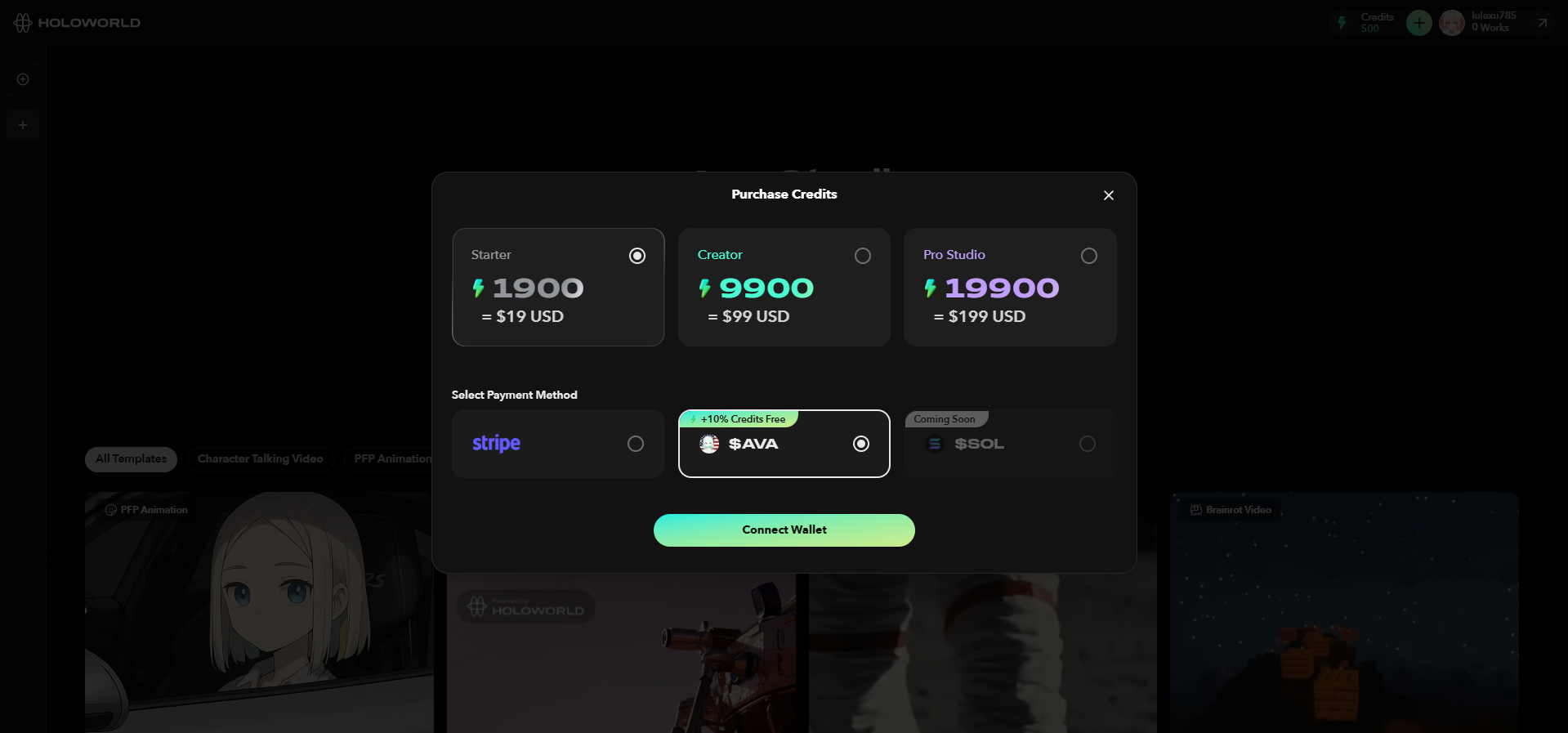
* Choose from a range of credit packs—from Starter to Pro.
* Confirm payment method, and your credits will be instantly added.
* **Tip: Pay with $AVA to get +10% bonus credits.**

## Create Your First Video

### **Method 1: Prompting**

<figure><img src="https://3847104975-files.gitbook.io/~/files/v0/b/gitbook-x-prod.appspot.com/o/spaces%2Fx3XJPuHjcm9UuQOCtVEu%2Fuploads%2FOkxvHZP3NggvfCbDlRJC%2F3-1%20advanced%20settings_basic.png?alt=media&#x26;token=80a0af13-c567-4302-8253-9c50313735e0" alt=""><figcaption></figcaption></figure>

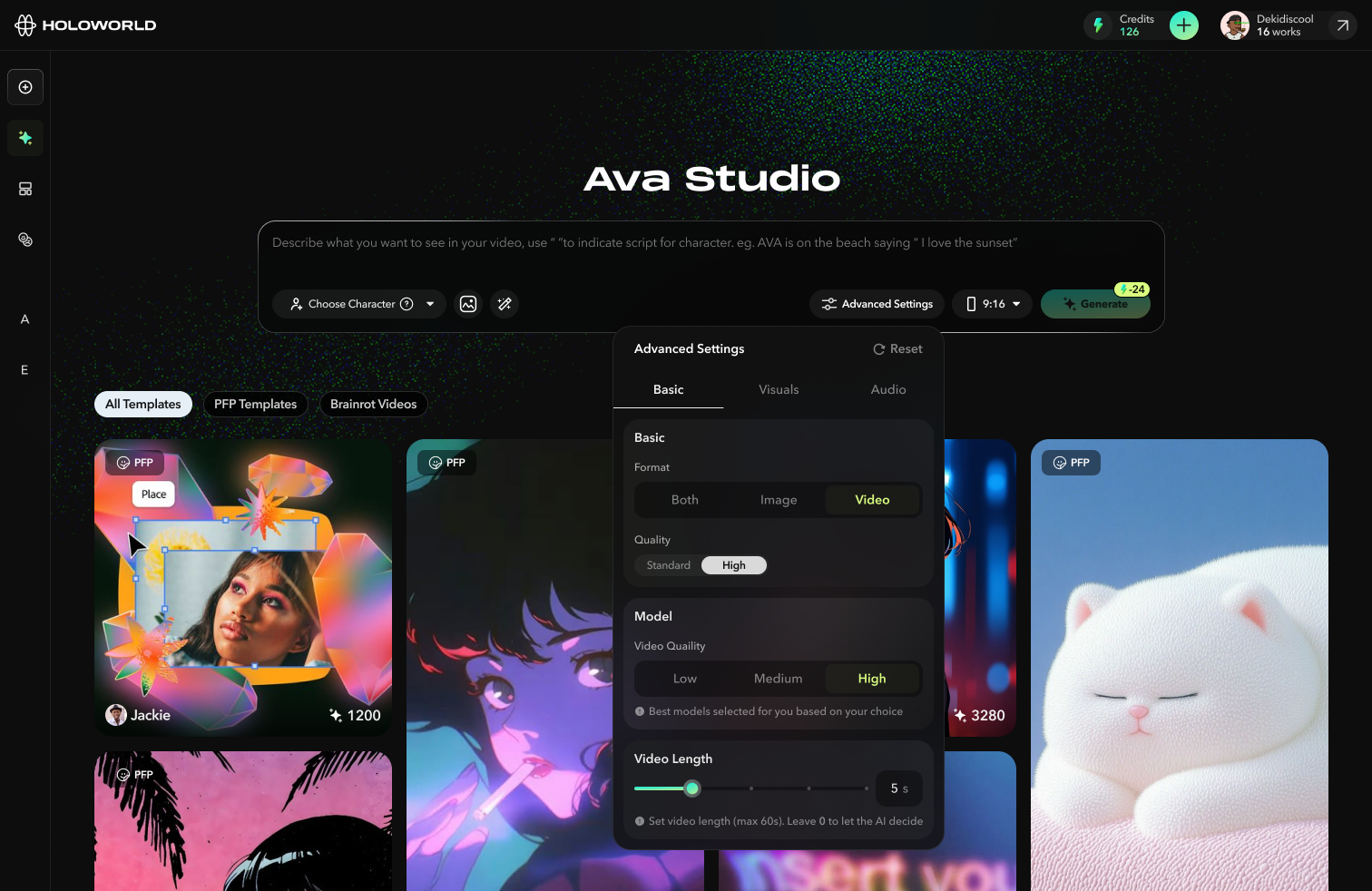
1. Write a prompt (See [tips-and-tricks](https://docs.holoworld.com/holoworld/ava-studio/tips-and-tricks "mention"))
2. *(Optional)* Choose a character or upload an image of your character reference.
3. *(Optional)* Customize advanced settings.
4. **Click Generate**.

or&#x20;

### **Method 2: Remixing**

<figure><img src="https://3847104975-files.gitbook.io/~/files/v0/b/gitbook-x-prod.appspot.com/o/spaces%2Fx3XJPuHjcm9UuQOCtVEu%2Fuploads%2FtwGMEptAlRZbeofFDgTw%2Fimage.png?alt=media&#x26;token=6e0e18c9-c7e7-4a0c-86a1-e9a0abba2127" alt=""><figcaption></figcaption></figure>

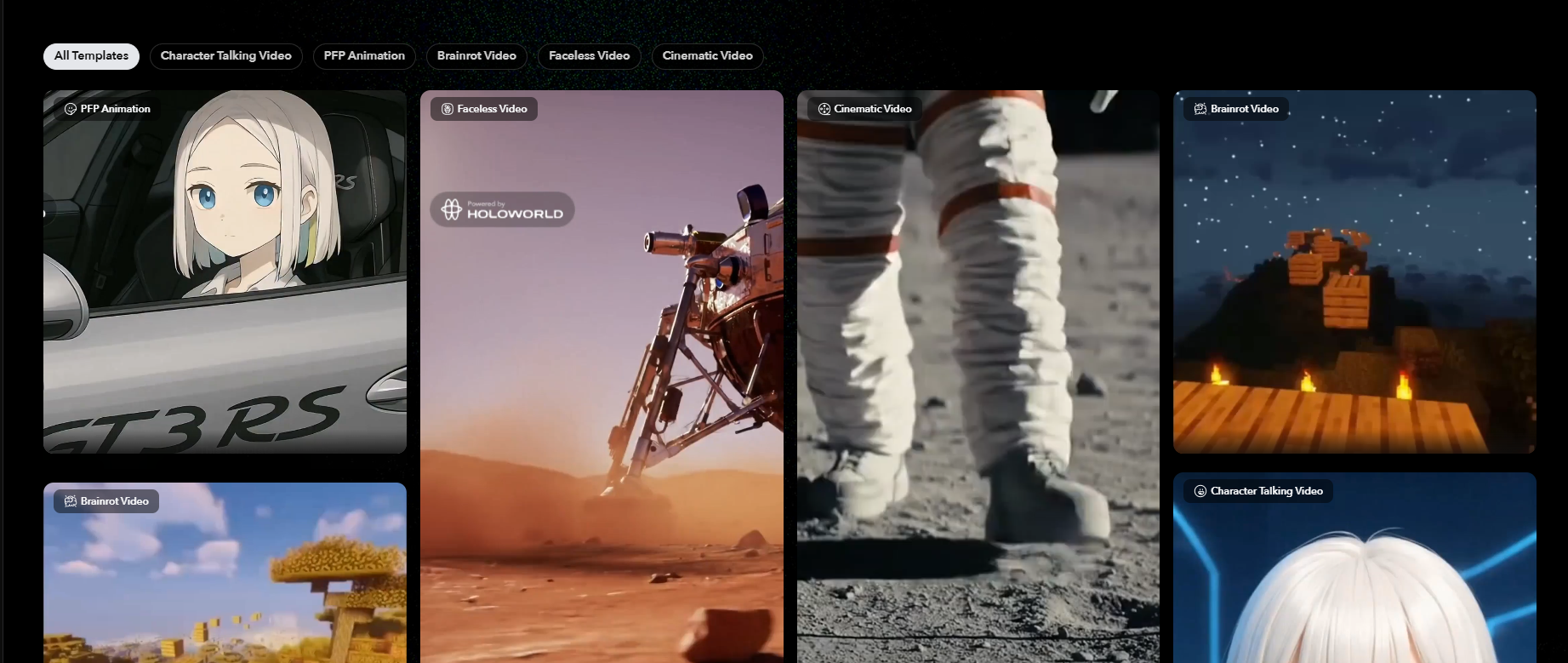
1. Browse through the template feed.
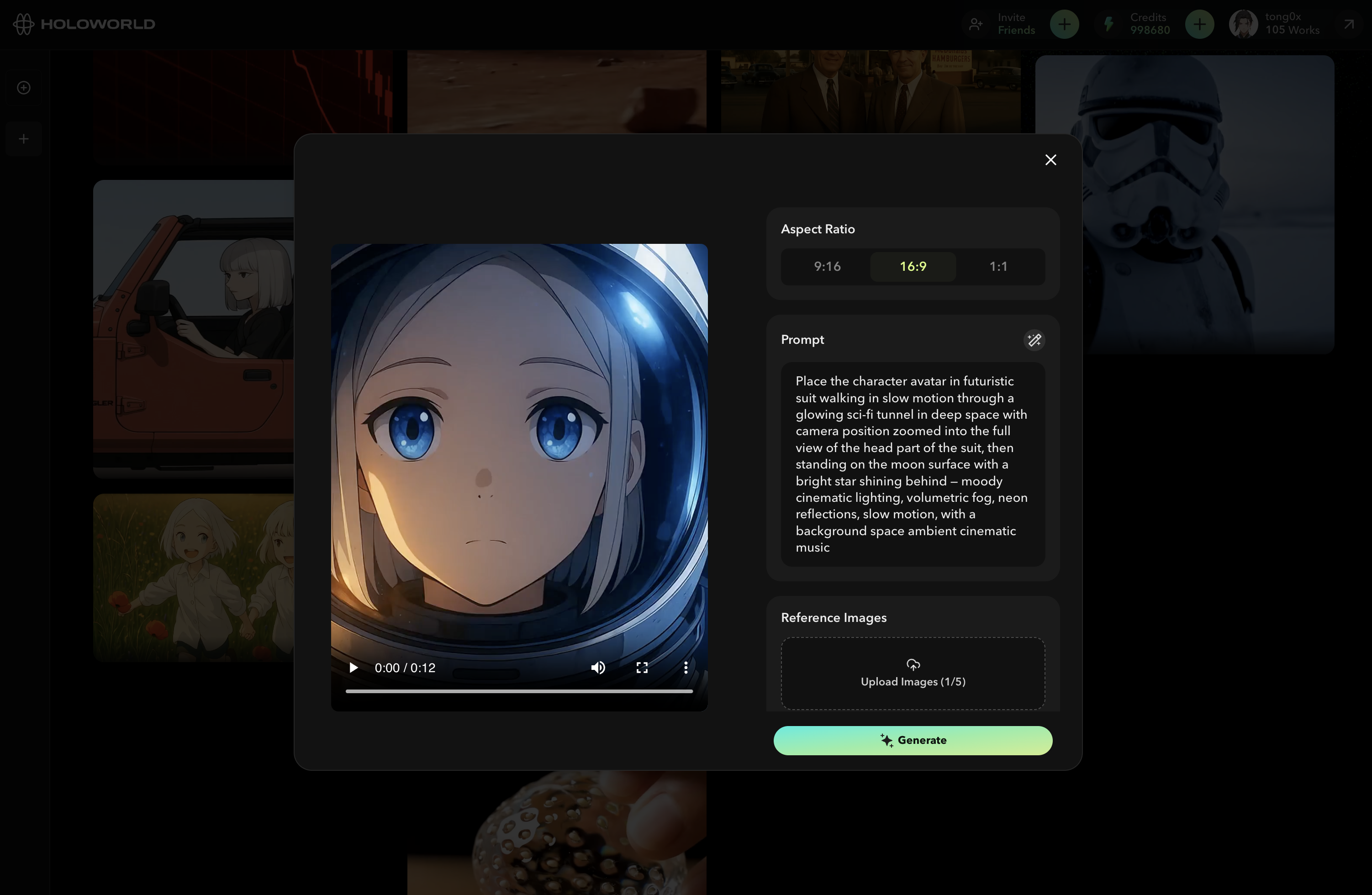
2. Open the video that you would like to remix.&#x20;
3. Tweak the prompt or upload reference images of your own.

<figure><img src="https://3847104975-files.gitbook.io/~/files/v0/b/gitbook-x-prod.appspot.com/o/spaces%2Fx3XJPuHjcm9UuQOCtVEu%2Fuploads%2FjiG1mdK22rghwQor4sF3%2FScreenshot%202025-07-05%20at%205.19.50%E2%80%AFPM.png?alt=media&#x26;token=eb93c7ed-31d7-4625-abe7-4fe5b86d0ce3" alt=""><figcaption></figcaption></figure>

4. Click **Generate**.

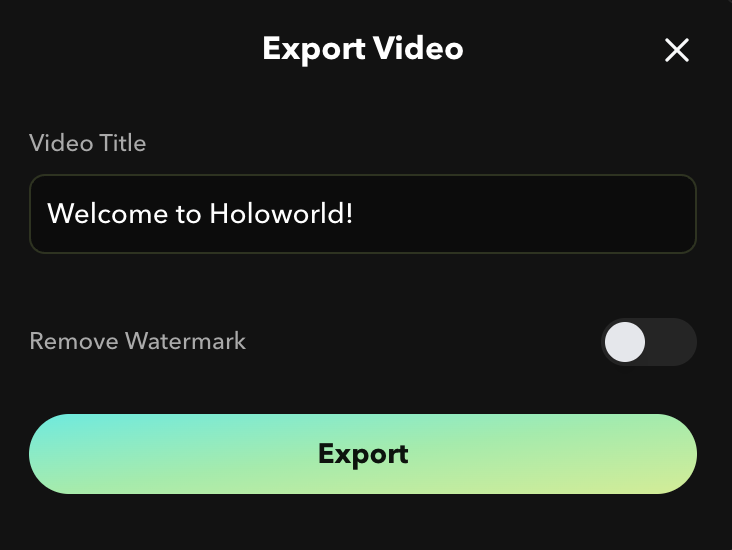
**Congratulations!** After the video finishes generating, click "Export" to download your  video creation.
<figure><img src="https://3847104975-files.gitbook.io/~/files/v0/b/gitbook-x-prod.appspot.com/o/spaces%2Fx3XJPuHjcm9UuQOCtVEu%2Fuploads%2FMSn7hTRwwaVHunWbQ9MC%2FScreenshot%202025-07-05%20at%205.26.17%E2%80%AFPM.png?alt=media&#x26;token=4b831a4e-541b-442d-a7f7-7baa2b3e0975" alt=""><figcaption></figcaption></figure>