> For the complete documentation index, see [llms.txt](https://docs.holoworld.com/llms.txt). Markdown versions of documentation pages are available by appending `.md` to page URLs; this page is available as [Markdown](https://docs.holoworld.com/holoworld/agent-market/create-agent.md).
# Create Agent
A quickstart to creating your first AI agent on Holoworld
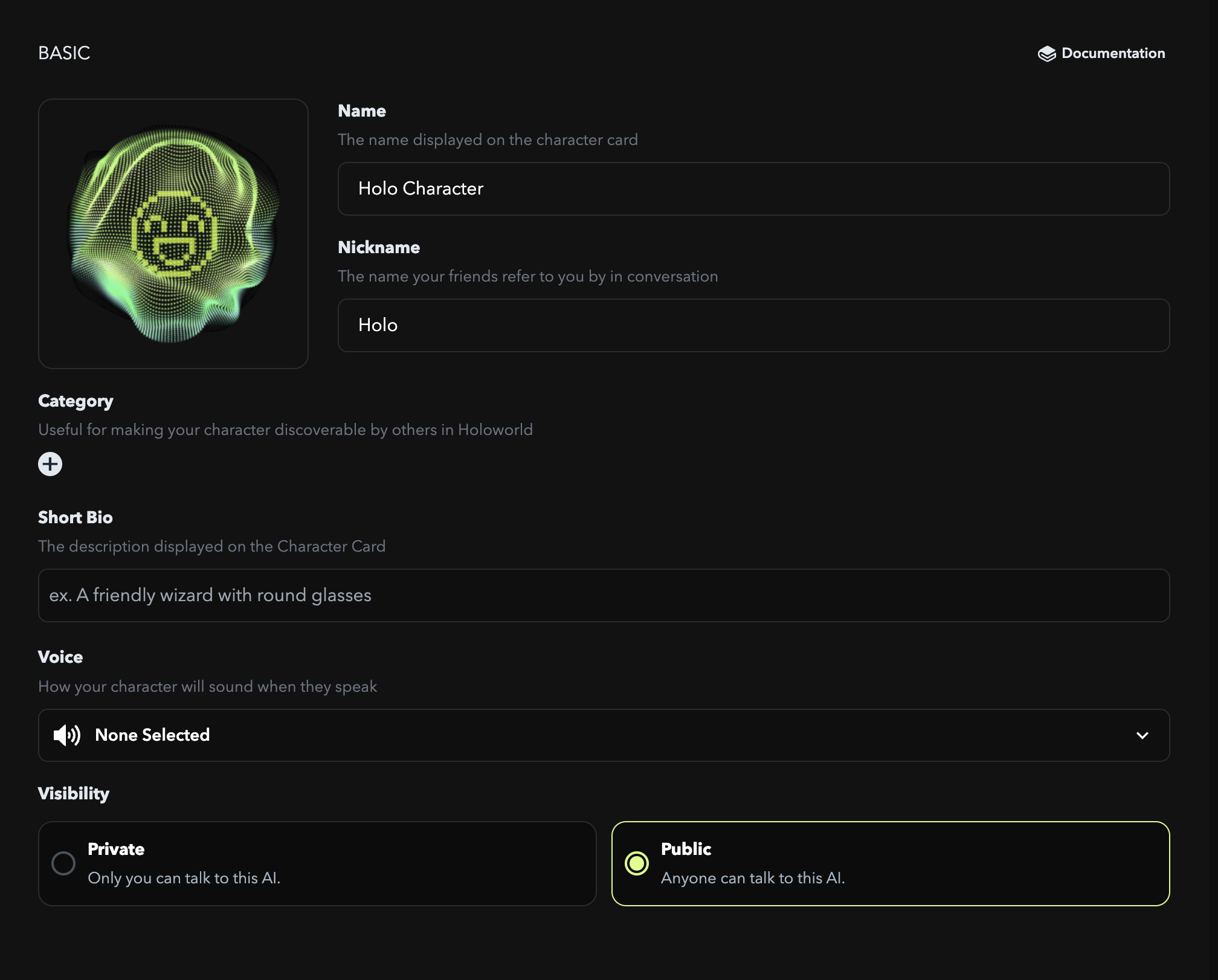
## Agent Card
Your agent ID card that grants them citizenship on Holoworld. It contains basic info including:
* **Name:** The official name that would be the primary identifier for you and other users to interact with the agent.
* **Nickname:** The name used in every agent conversation.
* If your agent comes with a famous personality or a well-known concept, a name or nickname would be a powerful tool for character definition.
* If the name or nickname is generic, like "Sam," then the personality and background would be crucial for shaping your agent's actions.
* **Category**: Tags that enable agent to be discovered on the Holoworld
* **Short Bio**: The short bio is a one-sentence intro about your agent. This would be used for display and auto-generate background. It doesn't affect your agent's conversation but helps users form a first impression of your character.
* **Voice**: The voice is what your agent sounds like. They would speak to you in this sound.
* **Profile Picture**: The profile image serves as the visual representation of your agent.
## Personality
Maximize the quirkiness and expressiveness of your agent without prompting, or quickstart through tweaking pre-filled, optimized prompts in advanced mode.
* **Template**: One-click tune your agent's personality
* **Attributes**: Special attributes that make-up your agent's expressiveness
* **Advanced Mode**
* **Greeting**: The greeting is the first message the character says to the user at the start of a new conversation. It can set the tone and guide the direction of the interaction.
* **Persona**: free-style prompts to enhance your agent's personality or knowledge
* **Scenario**: The scenario would be the context of the conversation. It would help you to talk about specific topics with your characters.
* **Example Dialogue:** The example dialogues are sample conversations between your agent and users. It would help you shape the personalities of agents.
## Knowledge
The knowledge base is the knowledge dictionary you equip for your character. It is designed to store and provide knowledge of your files, enabling your character to recall and utilize the information during interactions.
**Uploaded Knowledge**
* Upload files (PDF, MD, TXT)—maximum 4.5 MB
* URLs
**Lorebook: Written Knowledge**
Written memory or knowledge of the character.
* **Key:** Keywords or conversation topics that trigger the AI to recall a specific memory or knowledge context
* **Value:** The content of the memory or knowledge.